
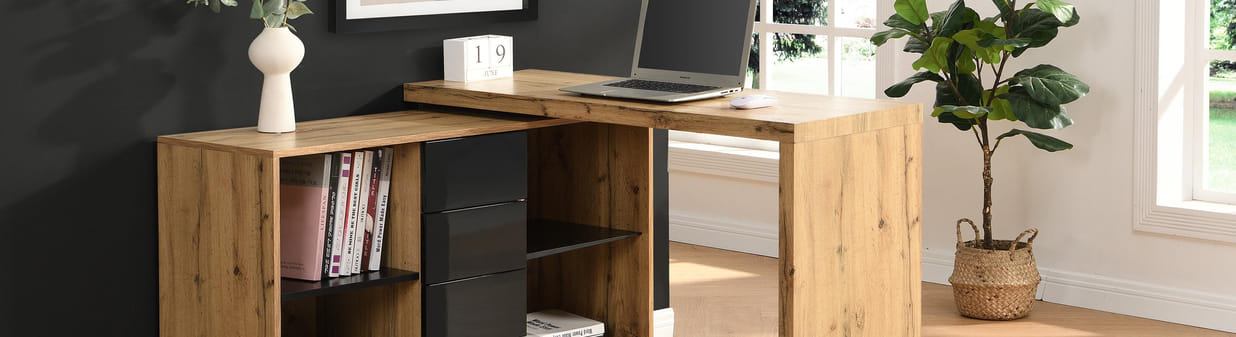
Top 9 best tips for organising a desk!
Well-being and productivity are two concepts that are far from incompatible when you work from home, sitting at your workspace. Indeed, a well-organised desk is the secret to thinking clearly and moving forward efficiently with your tasks. A cluttered space generates stress, distractions, and a drop in efficiency. Fortunately, there are very simple techniques to make your desk a functional and pleasant space. Want to know how to organise your office? Discover our 9 best tips for a top-notch desk!
Tip 1: Sort through your belongings regularly
Regularly sorting through and decluttering your belongings is one of the key steps to maintaining an organised desk over time. Eliminate the superfluous by filing your documents. Use folders and files to organise important papers. For example, create separate folders for bills, ongoing projects, and administrative documents. Don't forget to recycle all used papers! Get rid of useless items. Regularly sort through your office supplies and discard broken pens, used notebooks, and objects you no longer use. You can also donate or sell obsolete items. You will save space and see things much more clearly.
Tip 2: Use suitable office storage solutions
To optimise your workspace, invest in office accessories and storage tailored to your needs, such as a desk organiser. To improve the layout of your workspace, you can start using storage boxes with labels. Choose transparent boxes with clear labels to classify your office supplies. Dedicate one box to pens, another to cables and chargers, and a third to documents waiting to be processed. No more wasted time rummaging around to find an accessory!
Also, opt for drawer organisers: compartmentalise your office accessories with drawer dividers. Store your paperclips, sticky notes, and other small supplies in spaces designed to maintain order. Think about vertical document holders as well: place your current files and frequently consulted documents in them.
And why not hang a pegboard on the wall above your desk? This way, you can attach accessories such as scissors, USB sticks, or headphones to optimise space.
To remember: Adapt the storage space according to the size of your objects (books, binders, decorative items) by installing modular shelves.
Tip 3: Choose furniture designed for an organised office
Setting up an organised and practical workspace also means choosing the right office furniture. Here are a few types of desks adapted to various needs and room configurations:
- The corner desk: It optimises space, especially in cramped rooms. Fitting perfectly into a corner, it offers a generous work surface while freeing up floor space in the center of the room.
- The desk with built-in storage: It comes equipped with drawers, shelves, or compartments. This type of desk keeps your essential supplies and documents within arm's reach, allowing you to maintain a clear and tidy work surface.
- The extendable desk: Do you need a adaptable work surface? This desk is made for you! It can be expanded for tasks requiring more space and folded back for minimal clutter once the work is done.
- The desk with a storage cabinet: The combination of a work surface and a built-in cabinet provides extra storage space for your files, binders, and other equipment.
- The secretary desk: With its fold-down top, it allows you to hide the workspace and everything inside it when not in use. The perfect compromise for shared living spaces or small rooms.
- The console desk: Its design is narrow and sleek. It suits restricted spaces or occasional needs, and can also serve as a side table.
Tip 4: Invest in an ergonomic office chair
Be productive by sitting comfortably! The choice of an ergonomic office chair should not be left to chance. It must be adapted to your body shape to create an environment conducive to work and concentration. A well-designed ergonomic chair provides maximum back support.
Through a thoughtful investment in a professional office chair, you will adopt a correct posture. This wards off the risk of back pain or muscular tension. A good sitting position should also give you easy access to the different elements of your desk—no more unnecessary stretching!
Tip 5: Optimise your workspace lighting
A comfortable and productive work environment requires effective lighting. Maximising natural light is essential. Position your desk near a window to benefit from daylight, which promotes concentration and reduces eye strain. Ensure that the sun's rays illuminate your workspace without creating reflections on your computer screen. For example, place your desk perpendicular to the window to avoid potential glare.
Complement this with appropriate artificial lighting. Use artificial light when natural brightness becomes insufficient (on cloudy days or at the end of the day). A desk lamp with an adjustable arm allows you to direct light exactly where you need it. Choose a lamp equipped with a dimmable LED bulb to adjust the brightness according to your tasks. To avoid direct glare, place the light fixture on your left if you are right-handed, and vice versa.
Be sure to vary your light sources by combining several types of lighting to avoid sharp contrasts and annoying shadows. In addition to your desk lamp, install a ceiling light diffusing soft, uniform light, as well as wall lights for indirect lighting.
The choice of colour temperature should also be adapted. Prefer a neutral to cool white light (between 3500 K and 5000 K) to stimulate your concentration. For less demanding moments, opt for a warmer light (2700 K to 3000 K) for a more soothing atmosphere.
Tip 6: Personalise your desk area
Personalising your workspace makes it more engaging. You can add decorations like photo frames, among other things, to make your desk welcoming. For example, set up family photos, a small green plant to bring a touch of nature, or display motivational quotes on a bulletin board. Choose shades that you like and that soothe you. To ensure the office is not too distracting, we recommend favoring neutral and soft colours, like blue or green, for the walls of your workspace. Conversely, choose colourful objects to add a touch of dynamism to your desk corner.
Tip 7: Clean and tidy your desk regularly
Maintaining an organised desk requires dedicating time to regular cleaning. It is very easy to integrate this habit into your daily routine. At the end of each day, spend a few minutes tidying your desk, filing scattered documents, and wiping down surfaces. Throw away rubbish, and disinfect your keyboard and mouse.
Just before the weekend, take the time to deep clean your office corner. Dust the shelves, clean your computer screen, and ensure that all your belongings are in order.
Tip 8: Manage the organisation of electrical and network cables
Messy cables can create an untidy and unsightly desk. Sorting out your cables and using cable covers will serve you well. Use ties and clips to group cables together and prevent them from tangling. You can gather the cables from your computer, printer, and other devices using Velcro ties for a sleeker look.
Along the skirting boards or under your desk, cable covers will help you conceal wires, keeping them from trailing on the floor.
Tip 9: Define specific zones on your desk
Why not create dedicated areas of the room for various activities? To stay on top of things, you can mark out a work zone and a relaxation zone. Choose distinct spaces based on the nature of the activities. For example, set up an area for computer work (with a desk and an ergonomic chair) and another for manual tasks (with a table and crafting supplies). Do not hesitate to use floor rugs. Placed under your desk, a rug defines the workspace, while a woven mat made of natural fibres can beautifully mark out a relaxation area.
Take the time to apply these 9 tips to transform your workspace into a beautifully organised office! There is nothing better for improving your concentration, efficiency, and ultimately your productivity. Happy organising!
